how to build a 3d model with a blender python script.
How @BlendiByl built a 9,952-piece spaceship from one Blender Python script in cloud Blender, baked its light and put it in a three.js game, with agent prompts.
You can build a whole 3D model with a Blender Python script: every board, bolt and lamp is made by bpy and bmesh calls, so the model can be changed and built again in seconds instead of edited by hand. @BlendiByl built a cozy wooden spaceship this way for their game Solar: 9,952 pieces and 390,322 faces from one script. In cloud Blender on Patch the build alone took 45 seconds "for about $0.01", and "with baked lighting, this was about $0.08". Claude Fable 5.2 wrote every line of it; @BlendiByl only played the build and sent notes.
The script is open source in the game's repo, with the seven modules it imports: 5,842 lines of Python in 8 files in tools/ship/. This article goes through how it is laid out, how one helper makes every piece, how the light is baked into four pictures, how the ship is exported for three.js, and how to run the same kind of script in cloud Blender with your coding agent. You should know what a mesh, a UV map and a vertex color are. You don't need to write the Python yourself: the steps end with prompts you can hand to an agent.
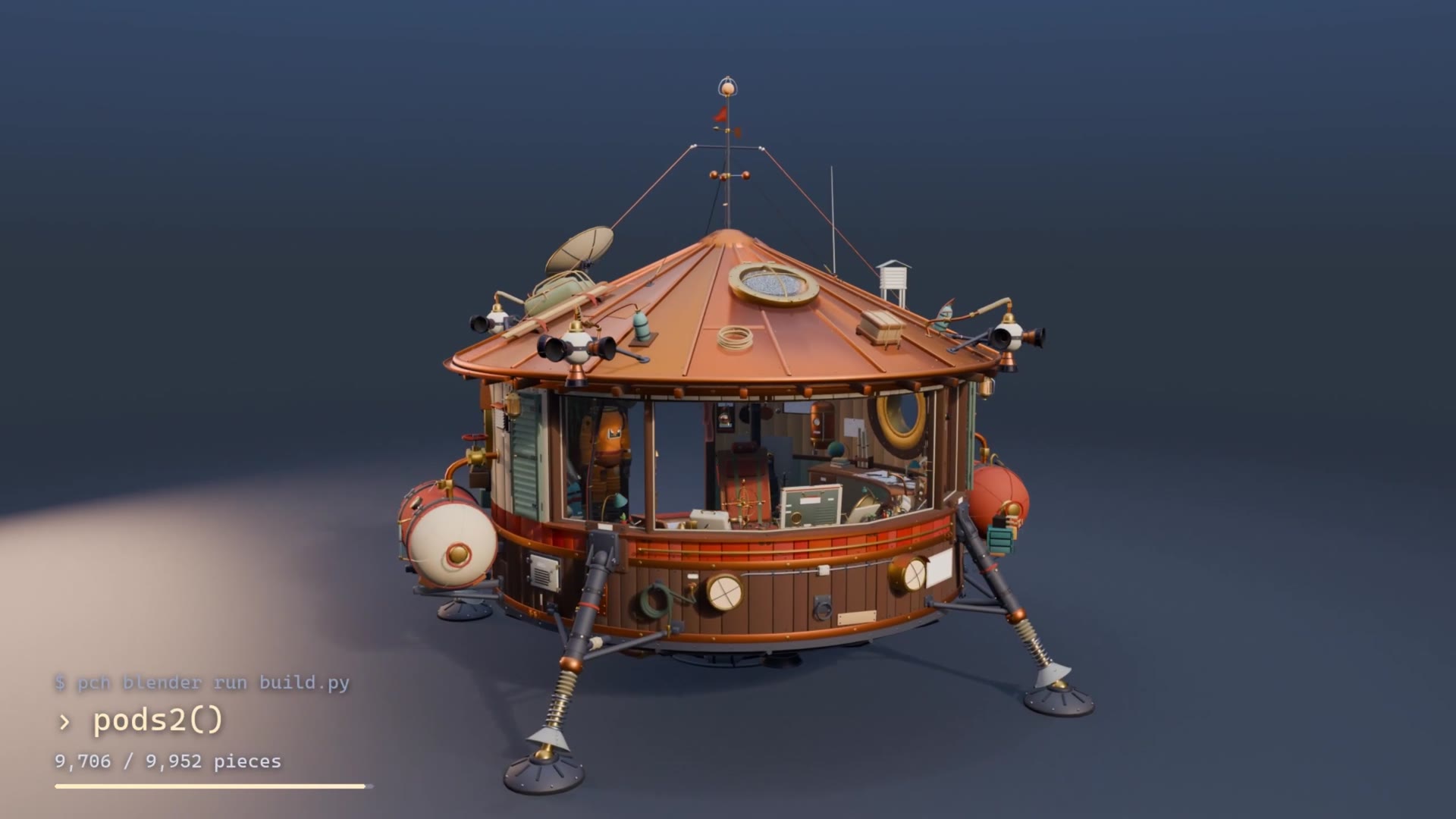
A render of the build, from @BlendiByl's post
What you need
Blender 5.2. The README runs it headless (blender -b --factory-startup -P tools/ship/build.py -- preview bake export). Cloud Blender sessions on Patch run Blender 5.2 as well.
Patch's CLI, pch (@BlendiByl used 1.3.2), to start cloud Blender sessions, run the script in them, look at the scene and fetch the files. Install it with (Windows: ), then .
curl -fsSL https://patch.gg/install.sh | sh
irm https://patch.gg/install.ps1 | iex
pch login
ffmpeg for the baked pictures (the script saves PNGs and turns them into WebP), and Node.js for npx @gltf-transform/cli@4, which packs the exported file.
three.js with GLTFLoader and MeshoptDecoder to load the ship in a browser game.
A coding agent. Claude Fable 5.2 wrote the whole ship script, about 5,800 lines, and drove pch itself. In @BlendiByl's words: "I didn't edit code by hand."
Credits: cloud Blender is billed by the second (1 credit is $0.01, and new accounts get 500). A small session is 50 credits an hour, and starting one needs 10 minutes of its cost in hand.
1. Fix the units and the frame before the first shape
Write down, at the top of the shared module, what a number in the script means. Every builder in the ship reads the same rule, from lib.py: "Everything is in metres. The ship stands at the origin on its feet, +Z up, its window toward +Y."
The ship's sizes and colors live in one more module, dims.py, which every builder imports: the staves' outer face at 2.55 m, the floor at 1.05 m, the top of the wall at 3.40 m, and the palette as hex strings (cream #d6c7a6, tar #5b4134, the red stripe #9c3b28, copper #b86a3b). A change there moves every part that depends on it the next time the script runs. That is the point of building from a script: as the README puts it, the ship "is built from a script, so that it can be changed and built again".
The script starts from nothing each time. It reads its arguments after Blender's --, resets Blender to an empty factory scene, and seeds Python's random numbers with 11, so the random widths of boards and the jitter of colors come out the same on every build. It makes seven collections to put pieces in: outside, inside, the ramp, the glass, faces, helpers and the helmet's visor.
2. Make every piece with one helper
Write one function that every shape in the model goes through. In the ship it is part() in lib.py,
The shapes themselves are small bmesh builders: a box, a cylinder, a ball, a lathe (a profile turned around an axis), a slab, a tube, a sheet, a disc. part() takes one of them, a color and a place, and then, in this order:
Cuts the shape at given heights first, so a color that changes with height has a clean edge to follow.
Bevels every edge sharper than 40 degrees, by 8 mm unless told otherwise, so edges catch the light.
Roughs it up, if asked: rough is how many meters every corner is pushed about, smoothly, and grit how many lumps to a metre. It is only for pieces nothing else is fixed to, because "what sits on a face that has been pushed about no longer sits on it".
Paints it and labels it (step 3), and tags it if it's a piece the game will move: the ramp, the stick, two levers, the suit, the landing screen.
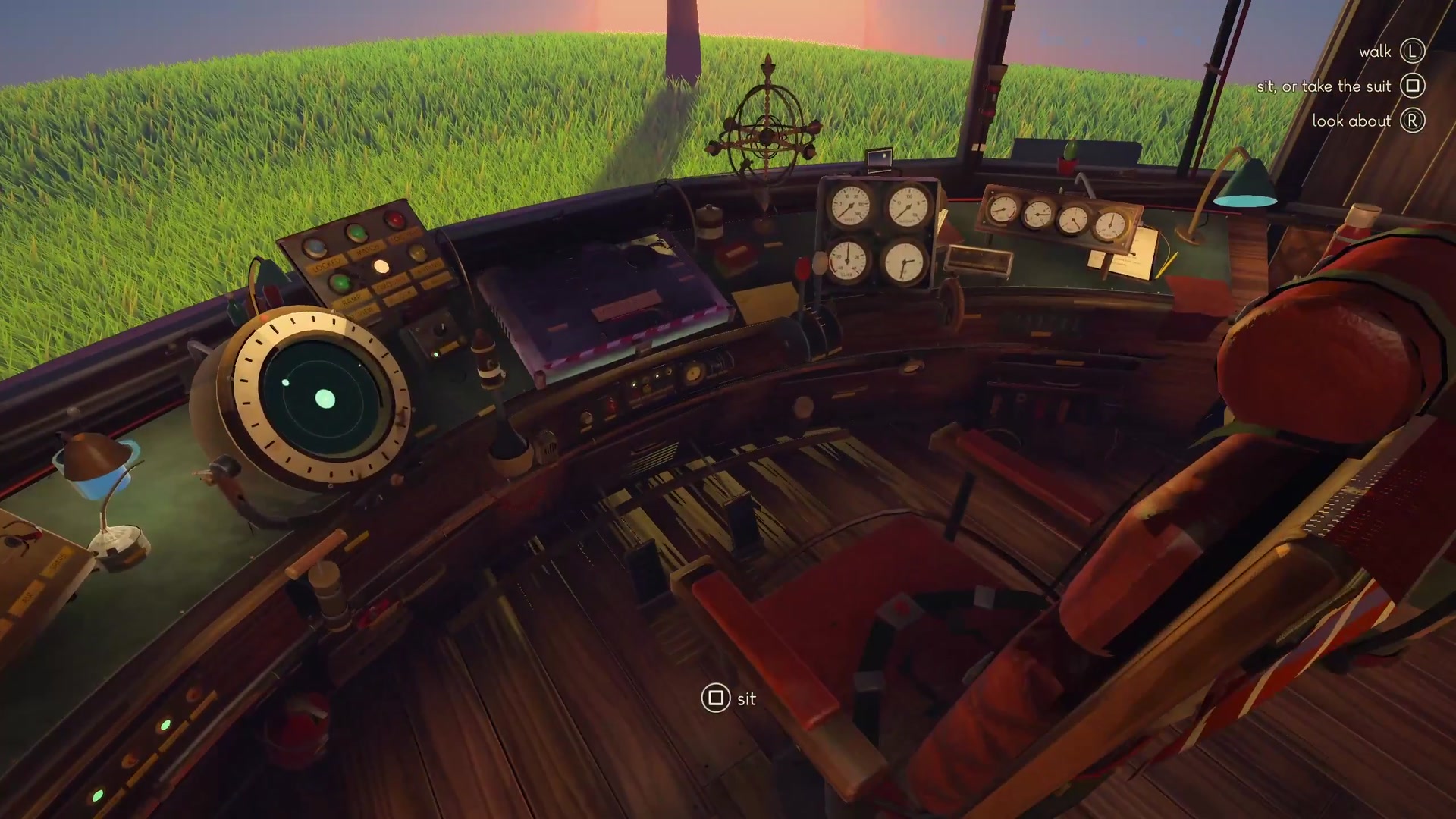
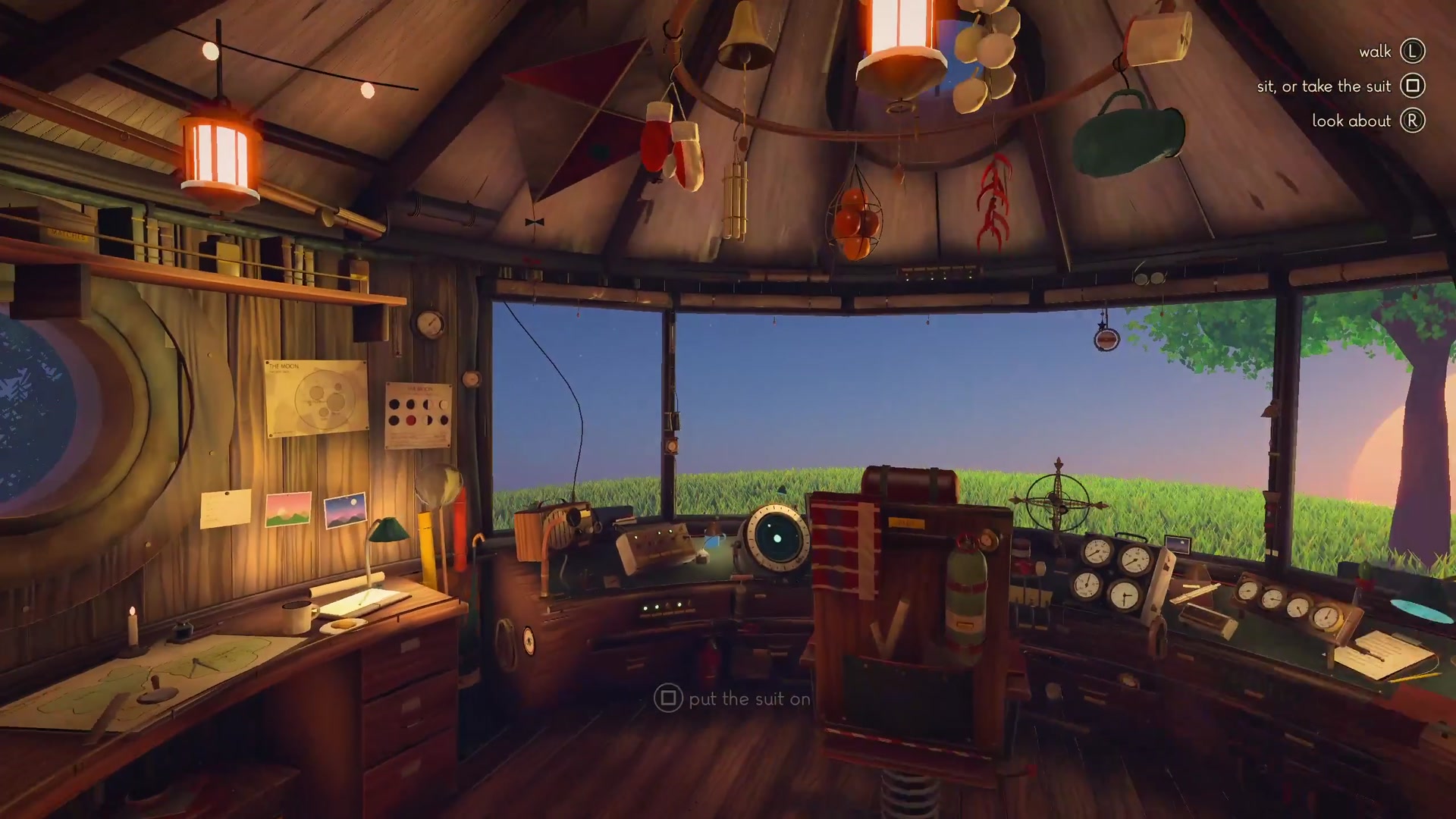
The cockpit in Solar, built from part() pieces
3. Store the materials in the mesh, not in materials
Put what each piece is made of into its vertices, so one script can carry many materials without making any. part() writes three things into every piece:
The color, in a vertex color attribute, with a small random shift in hue, saturation and value per piece, so "no two boards are alike".
How it shines, in that color's alpha: 0 to 0.8 is how much it shines, like metal, and 0.9 and over is a lamp.
What it's made of and which way it runs, in two extra UV layers: kind holds one of 39 named kinds, from wood and copper to quilt, wicker, a lamp kind and eight kinds of small lit lamp (lit0 to lit7), and grain holds the direction of its grain.
No material or texture is made per piece. The game reads the color, the kind and the grain and paints each surface itself (step 11).
prompt for your agent
Install Patch's CLI if you don't have it (curl -fsSL https://patch.gg/install.sh | sh), then pch login.
Read how @BlendiByl's spaceship is built: pch clone blendi/solar, then tools/ship/lib.py and tools/ship/build.py.
Write me a Blender 5.2 Python script that builds <my model> the same way: meters, +Z up, the front toward +Y,
random.seed fixed, sizes and colors in one dims module, and every shape made through one part() helper that cuts,
bevels edges over 40 degrees, optionally pushes corners about, stores color plus gloss in a vertex color, and a
material kind and grain direction in two UV layers. Use pch blender docs to check any bpy call before you use it.
4. Build each part of the model in its own function
Split the model into the parts you'd name if you described it, and give each one a function. build.py has hull(), legs(), tanks(), roof(), ramp(), and calls for the room, the table, the hammock, the stove, the suit and the lights and pipes, which live in room2.py. Then it calls a build() in each of five more modules: cockpit.py, detail.py, cockpit2.py, room2.py and outside2.py. The extra wings, hull fittings and pods are wings() in cockpit2.py and hull_more() and pods2() in outside2.py.
The hull shows how much a part function does with a few rules. It is barrel staves: around each band of angles it lays boards of random widths, each between 0.62 and 1.45 of the usual, so the seams never line up. Each board is colored by height (tar below 1.66 m, the red stripe up to 1.90 m, cream above) and nailed. Copper hoops go round at 0.99, 1.66 and 3.22 m, with brass bolts. Nowhere does the script place a board by hand.
Some shapes need a boolean. The skylight is cut through the roof with Blender's exact boolean solver and applied, so the result is plain mesh.
When every part is built, the script joins the pieces of each collection into one object: the hull, the room, the ramp (hung at its hinge), the glass and the visor. Ten thousand objects would be slow to export and to draw; five are not.
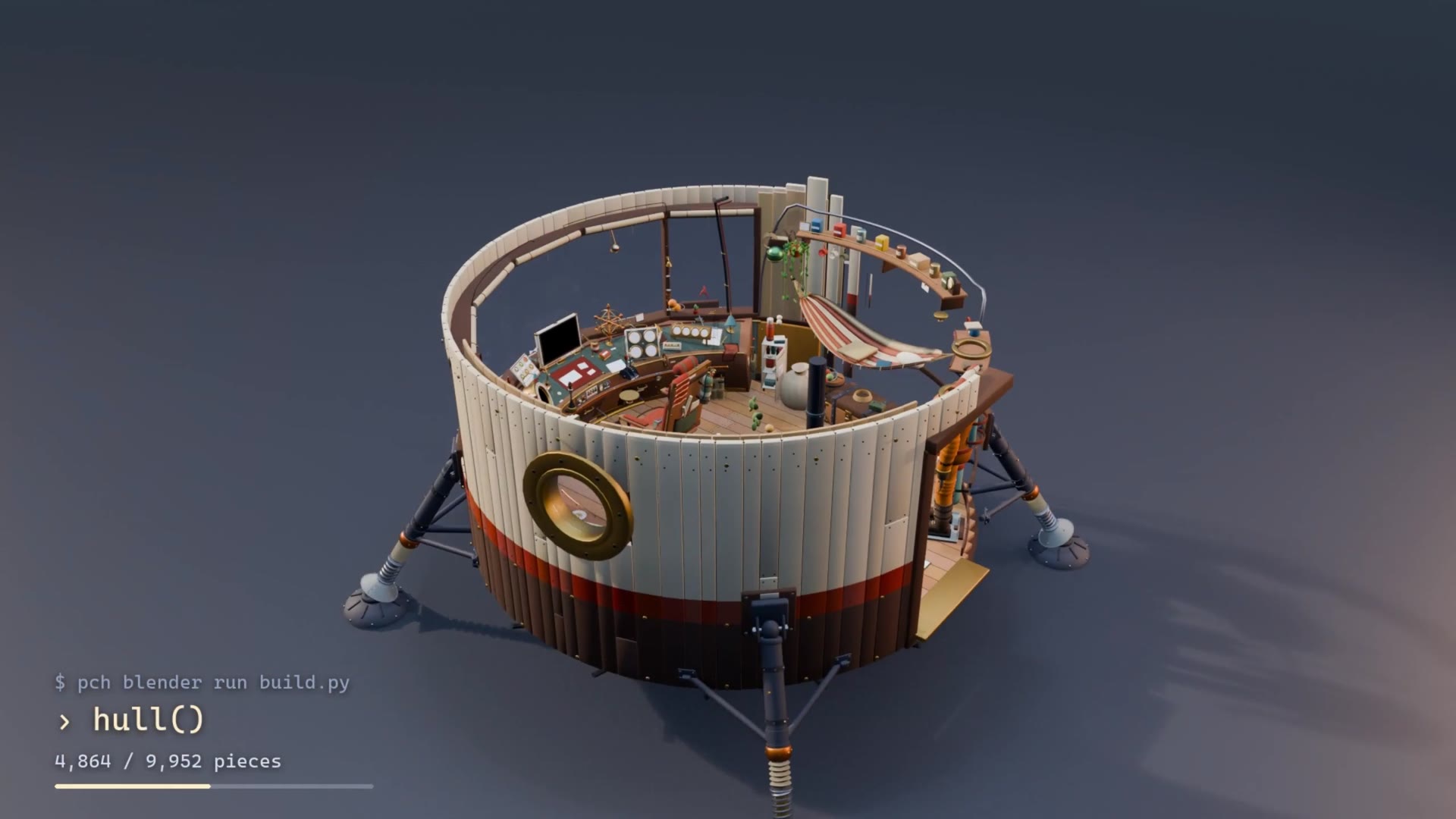
The clip in @BlendiByl's post shows the parts arriving with a running count. It is a staged reveal for the video, not the script's run order: hull() shows at 4,864 of 9,952 pieces, and pods2() at 9,706.
The hull stage of the build render, 4.6 s into @BlendiByl's video. The command shown on screen is shortened
5. Steer the agent with notes, not code
Play the build and tell the agent what's wrong; let it change the code. @BlendiByl wrote none of the 5,800 lines. Their part was "playing the build and sending notes, about six rounds". The first real prompt asked for a ship you could walk into:
"The spaceship. It needs to be far better looking, and I want to be able to actually physically enter it instead of pressing a button. So this means it probably needs to be much larger too. Then there's things like a rich spaceship interior, way better viewers and helpers for when I am travelling to a different celestial body, thrust indicators etc. [...] We can use blender or whatever we need to make this absolutely stunning"
After that the notes were short and about what they saw: "everything is still far too smooth", "MUCH better details and more maximalism", "the thrusters are the wrong way round", "the dial labels overlap the numbers", "I need to see more from the seat".
For the detail passes the agent split the work across a few sub-agents, one for the room, one for the outside and one for the cockpit, each in its own file. Giving each sub-agent its own file keeps them from editing the same code at once; the repo's room2.py, outside2.py and cockpit2.py sit beside the first build.py.
6. Run the script in cloud Blender
Run the script in a Blender on Patch's machines instead of your own, so your agent can build, look and fix in a loop and run several Blenders at once. @BlendiByl's agent did all of this with the pch CLI, "no MCP tools and no batch API". The video shows the command at the top of the build: pch blender run build.py (the real command also names the session).
A session is a live Blender 5.2 that your agent drives with bpy. Sessions come small (2 cores, 4 GB), medium (4, 16 GB) or large (8, 32 GB), and can add an L40S GPU, 200 credits an hour more. The commands @BlendiByl's agent used, in order:
pch blender session start --size medium starts a session; add --gpu l40s for a GPU.
pch blender files upload sends files to the session's /work. They uploaded tools/ship.
pch blender run runs a Python file in the session and gives back what it printed. @BlendiByl's agent ran "a 12-line wrapper that calls build.py as it is in the repo", so the same file runs locally and in the cloud.
pch blender look returns a small preview of the scene. There's no window, so this is how you and the agent see it.
pch blender files download brings the results home, and pch blender session stop ends the session. An idle session pauses itself after 5 minutes without a call.
If a step needs a program besides Blender, such as ffmpeg for the bake, pch blender exec runs a shell command in /work, so the agent can check it's there first. Long runs such as bakes need a --timeout-s on pch blender run long enough for them.
You should see the run's printed output come back, then the ship in the look picture.
prompt for your agent
Install Patch's CLI if you don't have it (curl -fsSL https://patch.gg/install.sh | sh), then pch login.
Start a medium cloud Blender session with pch blender session start --size medium and name the session after the
model. pch blender files upload my build script's folder to it. Write a short wrapper that sets the arguments my
script reads and runs it unchanged, and run that with pch blender run. Then pch blender look at it from the front,
the back and above, tell me what looks wrong, fix the script and run it again until it looks right. Stop every
session with pch blender session stop when we're done.
7. Build and bake in two sessions at once
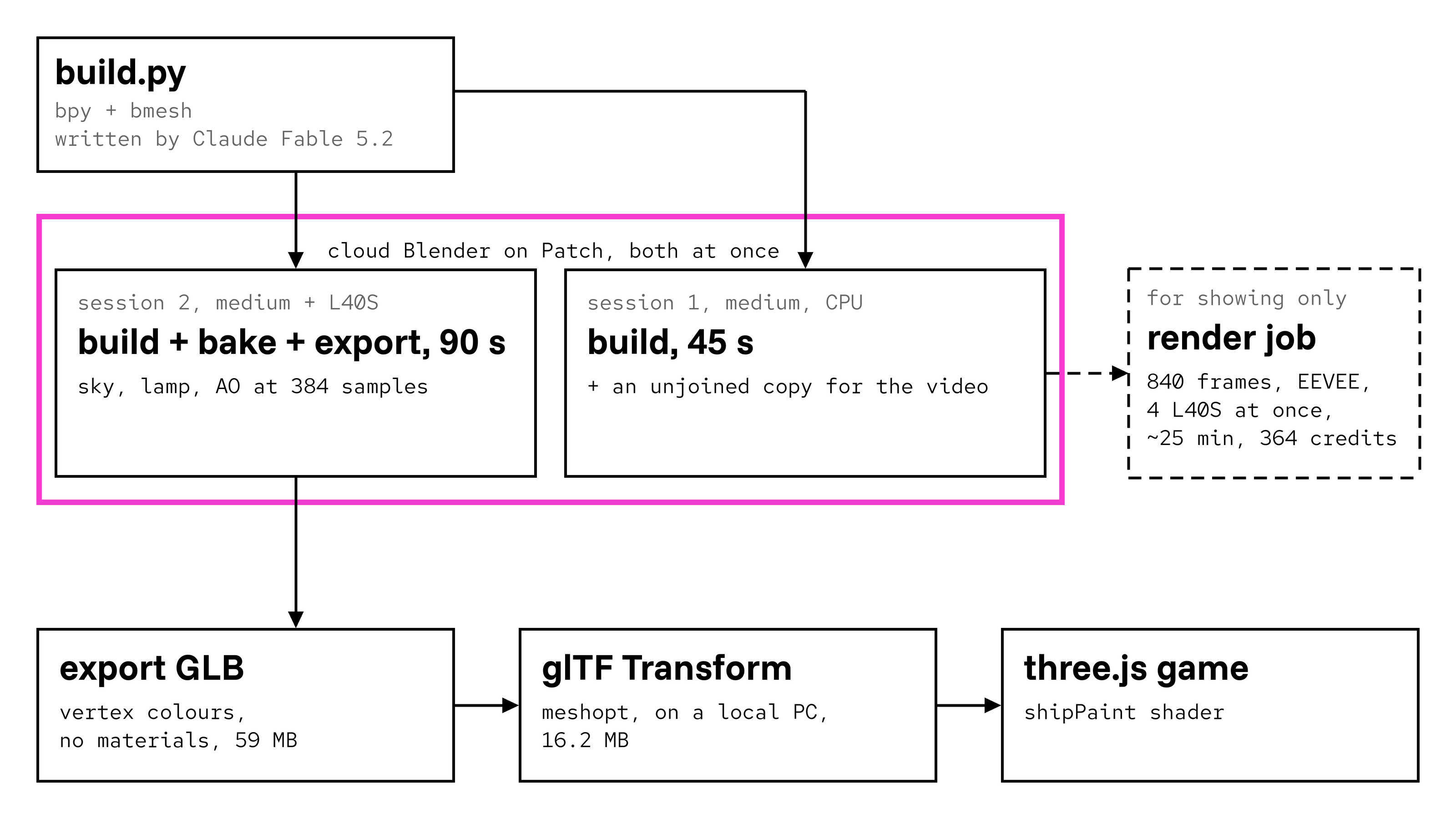
Give the slow job its own GPU session, and keep building in a CPU session beside it. @BlendiByl ran "two blenders running at once (one building and one baking the lighting)": two separate sessions side by side, not a fork of one. The script suits that, because what it does is chosen by its arguments: preview renders pictures, bake bakes the light and export writes the game's file.
The GPU session (medium with an L40S) ran build.py with bake export and 384 bake samples. Build, light bake and export took 90 seconds.
The CPU session (medium) ran the build on its own, in 45 seconds by the build's own timer. Then it ran a variant that stops before the pieces are joined, "so all 9,952 pieces stay separate for the video".
An org can run 16 sessions at once, one of them with a GPU, so one CPU and one GPU session fits.
Two sessions at once: one building, one baking, as @BlendiByl ran it
What it cost is the run time times the listed price, not the session total. A medium session is 100 credits an hour, 1.67 a minute, so the 45-second build is about 1 credit, about $0.01. With an L40S it's 5 credits a minute, so the 90-second build, bake and export is 7.5 credits, about $0.08. The sessions stayed up longer while @BlendiByl looked around and made the video (22 and 62 credits).
8. Check it from fixed cameras
Render the same views every time you change the script, so you can compare builds. With preview, build.py adds a sun, a ground disc and a camera, and renders eight views at 1280x800 with Cycles at 96 samples: front, back, side, door, seat, aft, left and right. More views can be asked for through the SHIP_VIEWS environment variable. In a cloud session, pch blender look does the quick version of this between runs.
Near the end of the build clip, 7.6 s into @BlendiByl's video. It is a frame of the EEVEE clip; the preview step renders Cycles stills from eight fixed cameras
9. Bake the light into pictures
Work out the light once in Blender, so the game doesn't have to. A browser can't path-trace a room lit by its own lamps and the sky every frame; it can read a picture of that light. The bake in build.py does this for the hull and the room:
Unwrap each one with Smart UV Project at a 66 degree angle limit.
Widen tiny islands. A function called fatten() grows every UV island narrower than 2.4 pixels of the 2048 px picture about its own middle. The README says why: "with none, a name plate came out black". A wire or a plate that falls between pixels gets no light at all.
Bake three passes with Cycles at 1,024 samples, denoised, with a 6 px margin: the sky's light (a diffuse bake, direct and indirect, with the lamps off), the lamps' light (lamps on, sky off) and ambient occlusion.
Soften each pass with a small blur, twice, because "what a bake leaves is grainy".
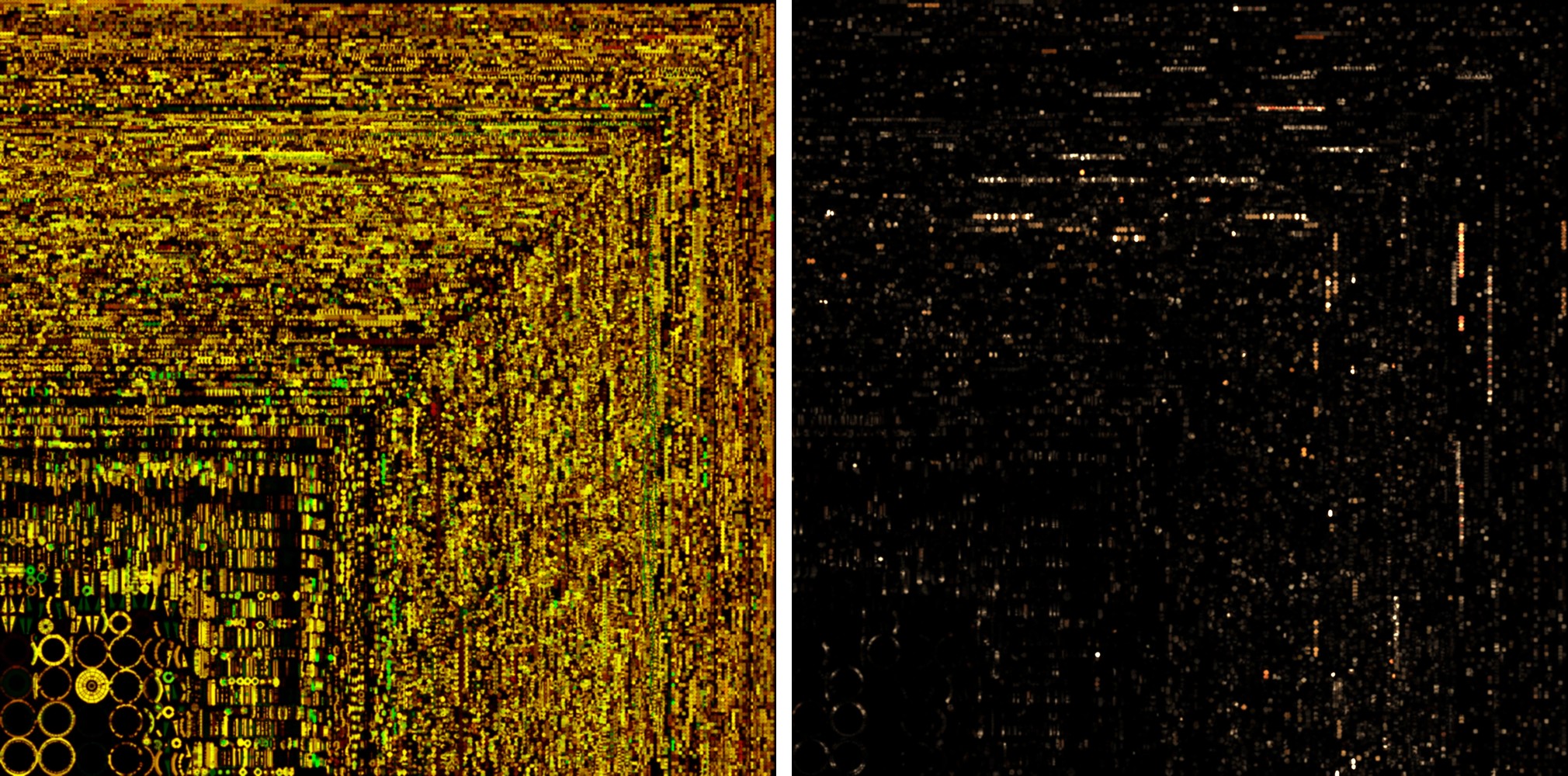
Pack them into two pictures per object: the lamp light (square-rooted, to keep detail in the dark), and the sky light in red with the occlusion in green. The script saves PNGs, then ffmpeg turns them into WebP at quality 94, "an eighth the size".
The four pictures in the game are 0.3 to 1.25 MB each. In cloud Blender, @BlendiByl baked at 384 samples, not 1,024, on a medium session with an L40S: build, bake and export took 90 seconds. The README times the full 1,024-sample bake and export on a local RTX 4090 at "about five minutes", and a rough bake while shaping (BAKE_SAMPLES=64) at "a minute and a half". Only the hull and the room are baked; the ramp moves, so it isn't.
The hull's baked sky and lamp pictures, 2048 px each, from the repo's public/ship folder
10. Export a GLB with geometry and labels
Export geometry and labels, not materials. With export, the script takes the tagged pieces back out of the joined objects (the stick, the two levers, the suit, the screen), each with its own origin, and adds an empty for every pivot so the game knows where each one hangs. It clears every material and exports a GLB with Y up, normals and the vertex colors.
The GLB comes out of the session unpacked, 59 MB. @BlendiByl downloaded it with pch blender files download and ran the packing step on their own PC: glTF Transform's meshopt compression (--level medium, positions quantized to 14 bits, normals 10, texture coordinates 16, colors 12), "to a quarter of its size". The packed ship.glb in the repo is 16.2 MB. Nobody edits it: "Never edit public/ship by hand."
prompt for your agent
Install Patch's CLI if you don't have it (curl -fsSL https://patch.gg/install.sh | sh), then pch login.
In my cloud Blender session, add bake and export steps to the build script, the way tools/ship/build.py in
blendi/solar does: Smart UV Project at 66 degrees, widen any UV island under 2.4 px of a 2048 px picture, bake sky,
lamp and AO with Cycles (64 samples while testing, a few hundred for the final), save them as WebP with ffmpeg,
then export a GLB with vertex colors and no materials. Use a session with --gpu l40s, check ffmpeg with
pch blender exec, and run the bake with pch blender run and a --timeout-s long enough for it. Download the GLB and
the pictures with pch blender files download, pack the GLB here with npx @gltf-transform/cli@4 meshopt
--level medium (quantize position 14, normal 10, texcoord 16, color 12), and load
them in my three.js game with GLTFLoader and MeshoptDecoder.
11. Paint it in the game
Let one shader turn the labels into surfaces. In Solar, src/ship.js loads the GLB with GLTFLoader and MeshoptDecoder, along with the four pictures, and renames the attributes: the vertex color becomes tint4, the grain layer grain2, the kind layer kind2. A shader called shipPaint then paints each kind as it is drawn: "boards with their rings and knots, paint worn through to the wood along edges, copper going green in its corners, brass rubbed bright where hands reach it, cloth with its weave". It finds edges from how fast the surface turns, and reads gloss and glow from the color's alpha. As the README puts it: "Everything is laid on in dabs of a brush (long ones along the grain of wood)".
The room in Solar
12. Render the build on GPUs, if you want to show it
Render only to show the build; the game doesn't need it. @BlendiByl was clear about that: "Rendering for the purposes of me showing you the build process". The clip came from "4 cloud GPUs rendering the build at the same time": one pch blender render job of 840 frames, in EEVEE at 1920x1080, 32 samples and 30 fps, on L40S workers four at a time. It took about 25 minutes and 364 credits ($3.64), nearly all of the ship's cloud Blender bill of about $4.50. The post shows a 10-second cut of it. The scene it rendered came from the CPU session's unjoined build, so every piece could arrive on its own.
Cloud Blender renders a saved .blend from the session's files: pch blender save, then pch blender render <blend> --frames 1-240 --max-cost <credits>, followed with pch jobs status, pch jobs wait and pch jobs outputs. Render one frame at low samples first; pch blender render gives an estimate from its first frame, and a render stops rather than go past --max-cost. Rendering costs 250 credits an hour on an L40S.
Two things went wrong in @BlendiByl's render. The job's own mp4 step hung, so they downloaded the frames and encoded them with ffmpeg. And the last few seconds, where the lamps come on, flickered in EEVEE, so that part was re-rendered on their PC from the same .blend.
What went wrong
Black name plates. Tiny UV islands got no light in the bake. Fixed by fatten() (step 9).
Things floating off rough surfaces. Pushing a surface's corners about moves its faces, so whatever was placed on it no longer touches. rough is only for pieces nothing is fixed to.
Moving parts and packing. Packing the GLB moves each piece's own origin, so the pivots are exported as empties and the game rebuilds each moving part around its hinge.
Slow bakes while shaping. 1,024 samples is about five minutes on a local RTX 4090; 64 samples gives a rough bake in a minute and a half. In the cloud, 384 samples on an L40S baked and exported in 90 seconds.
The render's mp4 step hung. Download the frames and encode them with ffmpeg yourself.
Lamps flickering in EEVEE. The seconds where the lamps come on were re-rendered locally from the same .blend.
The result
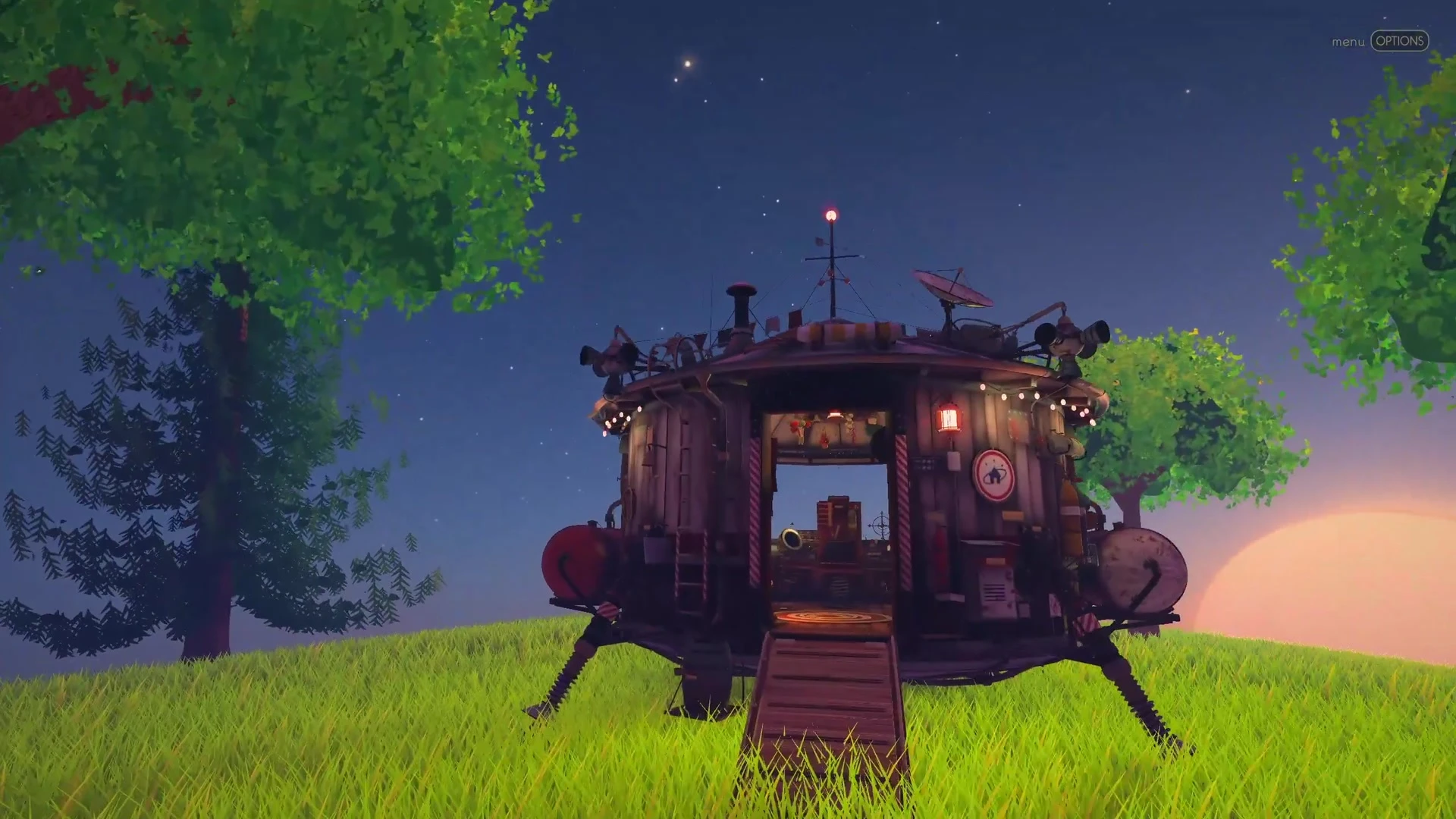
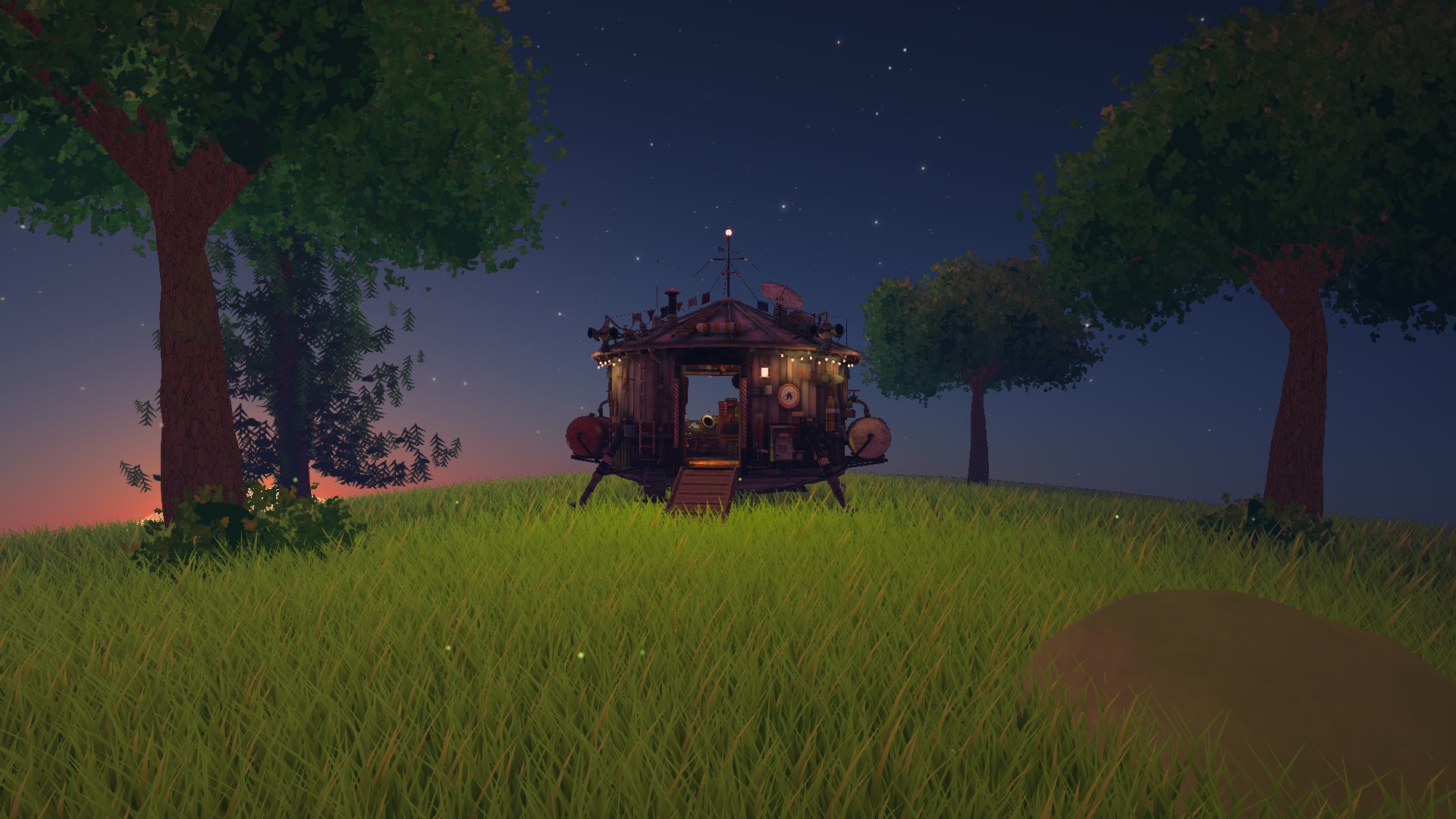
The ship in Solar, at night
Pieces
9,952
Faces
390,322
Python
5,842 lines in 8 files, tools/ship/
Build alone, medium CPU session
45 seconds, about $0.01
Build, bake (384 samples) and export, medium + L40S
90 seconds, about $0.08
Build clip render, 840 frames on 4 L40S
about 25 minutes, 364 credits ($3.64)
Cloud Blender, all in
about $4.50, not counting the agent's own usage
Script written by
Claude Fable 5.2, about six rounds of notes
Baked pictures
4, 2048 px, WebP, 0.3 to 1.25 MB
ship.glb, packed
16.2 MB
The ship is the one you fly in Solar: you walk up its ramp, sit at the desk and fly to the moon. @BlendiByl's post about it had 44,633 impressions on X on 2026-11-18.
@BlendiByl's post on X, with the full build video.
Credits
The ship: @BlendiByl, who directed it in notes. Its script: Claude Fable 5.2, with sub-agents for the room, the outside and the cockpit. Solar: @BlendiByl, made with Fable 5.2. Cloud Blender: Patch. Tools: Blender 5.2, Cycles, glTF Transform, meshoptimizer, three.js, ffmpeg.
Common questions
Can you make a 3D model with only Python in Blender?
Yes. bpy and bmesh can make every vertex, face, UV map and color, and Blender can be run with no window (blender -b -P script.py). @BlendiByl's spaceship has no hand-modelled part: 9,952 pieces all come from tools/ship/build.py and its modules.
How long does a Blender Python build take?
@BlendiByl's 9,952-piece ship builds in 45 seconds on a medium cloud Blender session. Building, baking its light at 384 samples and exporting takes 90 seconds with an L40S. On a local RTX 4090, a 1,024-sample bake and export takes about five minutes.
How much does cloud Blender cost?
A small session is 50 credits an hour and a credit is $0.01, billed by the second; bigger sessions and GPUs cost more (pch blender prices). @BlendiByl's build alone cost about $0.01 and the build with baked lighting about $0.08. Rendering the 840-frame build clip on four L40S workers was $3.64, so the whole ship came to about $4.50 of cloud Blender.
Why vertex colors instead of materials?
So the game can paint it. The GLB carries a color, a gloss, a material kind and a grain direction on every vertex, and Solar's shipPaint shader turns those into wood, copper, brass and cloth as it draws. One shader paints all 39 kinds, and there are no per-piece textures to load.